
Let your team clock in from the field, straight from their phone
Perfect for crews on the move. Staff punch in and out wherever the work is, tagged to the right job and location, with built-in protection against spoofed locations and tampered times.
 Timeclock.Kiwi
How it works
- 1
Install the app
Staff download the app from Google Play and log in with their Timeclock.Kiwi account.
- 2
Clock in on site
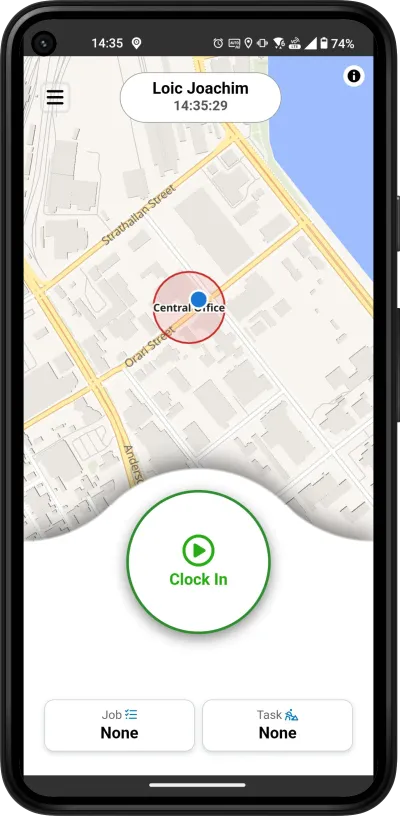
Once they are inside a work site's radius they hold Clock In, tagged to the job they are on.
- 3
Shifts in their pocket
Their roster arrives on their phone, ready to accept, with a reminder before each shift.

Free for 3 months, no credit card required.
Make sure they are on site when they clock in
-
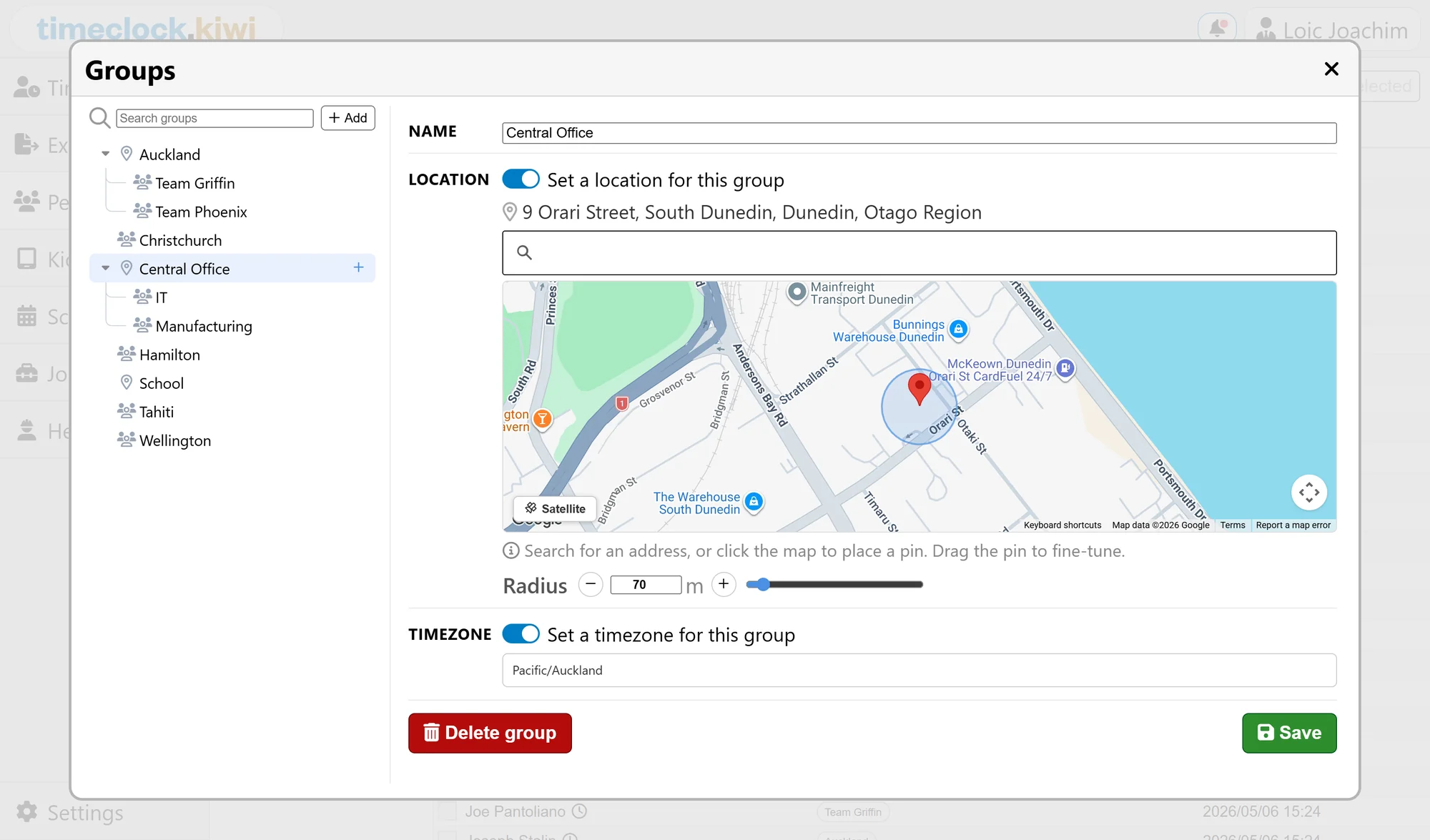
Work sites on a map
Set a group's work site on a map with its own radius. Staff in that group can only clock in once they are inside it.
-
Only for the people who need it
Require it for the whole company or just for the groups you choose, and leave everyone else free to clock in anywhere.
-
Fake GPS protection
The app is protected against faked GPS locations, so nobody can clock in from home by pretending to be on site.
-
Time tampering protection
Changing the phone's clock doesn't change the time that gets recorded.
Everything they need, right where the work is
-
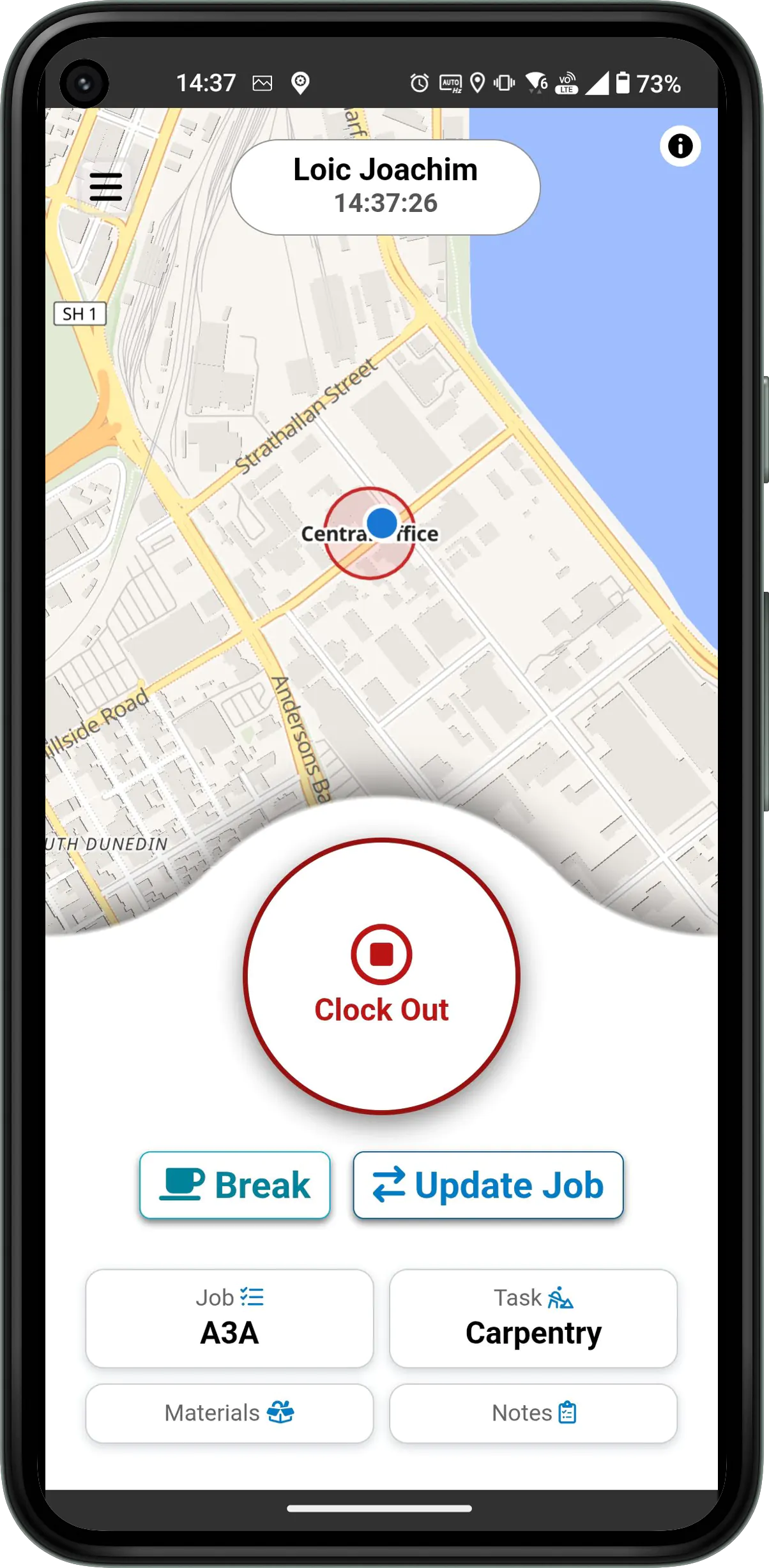
Jobs & tasks
Pick the job and task when clocking in, and switch with Update Job as the day goes on.
-
Breaks
Start and end breaks from the same screen, so break time is recorded where it happened.
-
Materials & notes
Log what material was used and leave notes against a job without heading back to the office.
-
Works offline
No signal on site? Clocks are saved on the phone and uploaded as soon as it reconnects.
Their roster, in their pocket
When you use shift scheduling, the app is where your team sees their shifts and sorts out the everyday changes.
See shift schedulingRoster notifications
Staff get a push notification as soon as a new roster is published.
Accept shifts
One tap accepts a shift, so you know everyone has seen their roster.
Shift reminders
A reminder before each shift starts means fewer late starts and no-shows.
Open shifts
Shifts that still need someone can be picked up straight from the app.
Shift swaps
Staff swap shifts with each other, and a manager approves each swap.
Day off requests
Request days off from the app and see when they are approved.
Free for 3 months, no credit card required.