
Account for everyone on site in seconds when it matters most
There is a fire!
The fire alarm has been triggered and eveyone is evacuating to the Assembly Points. The Fire Wardens need to do a roll call to make sure no one is left in the building.
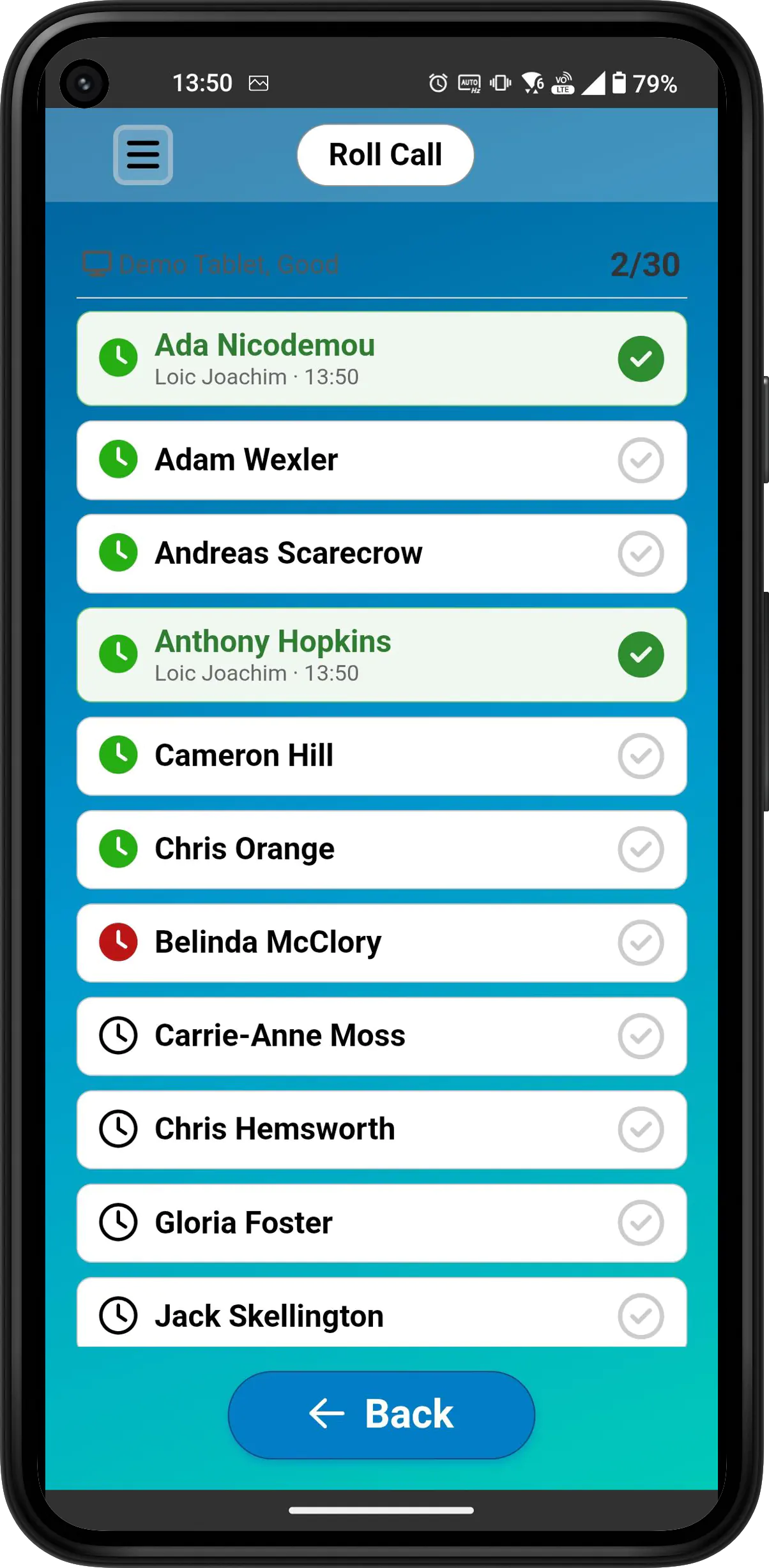
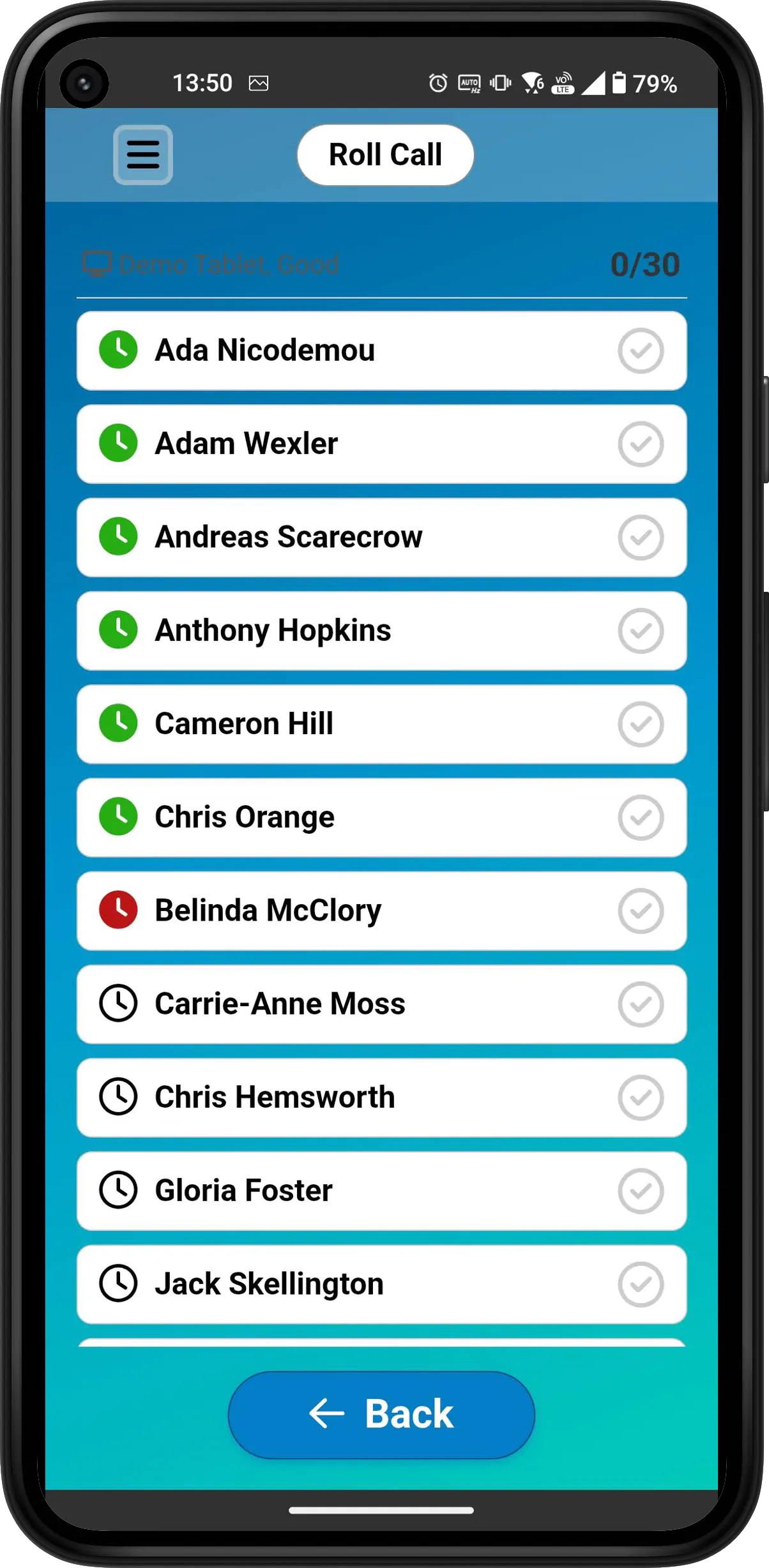
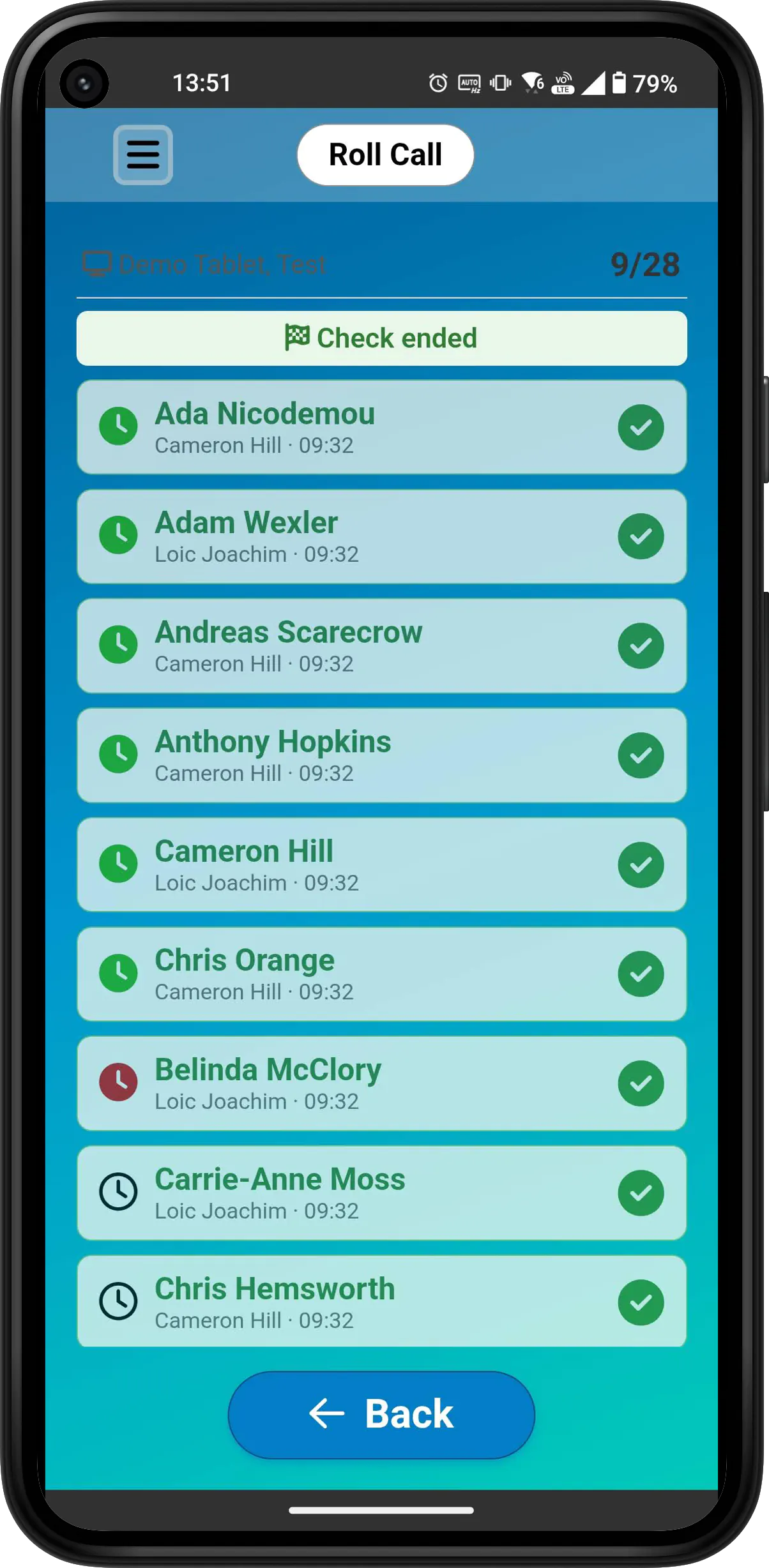
They open the mobile app on their phone and instantly see who was clocked in. Together they tick off everybody from all the seperate Assembly Points in seconds.
How to use
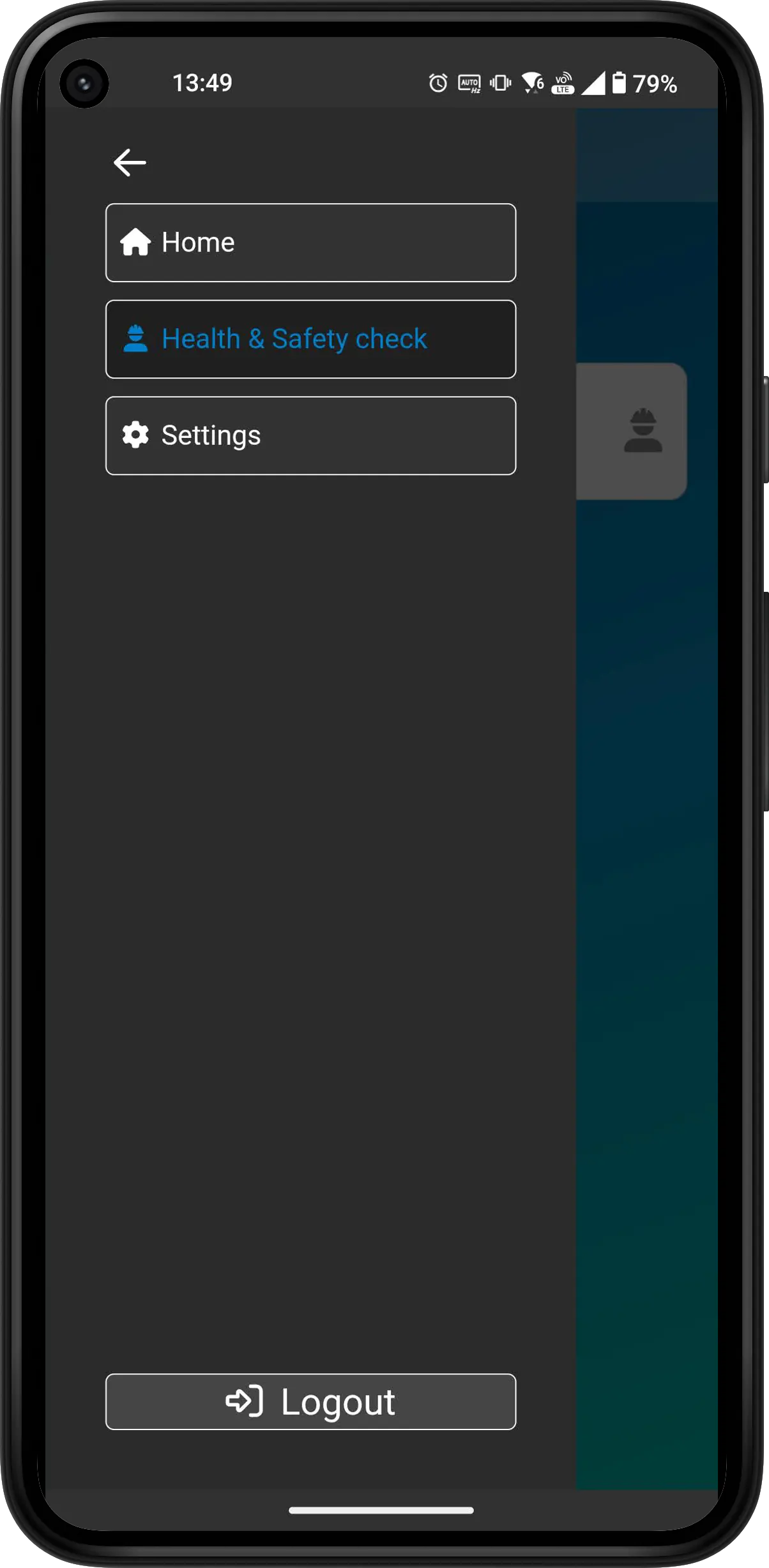
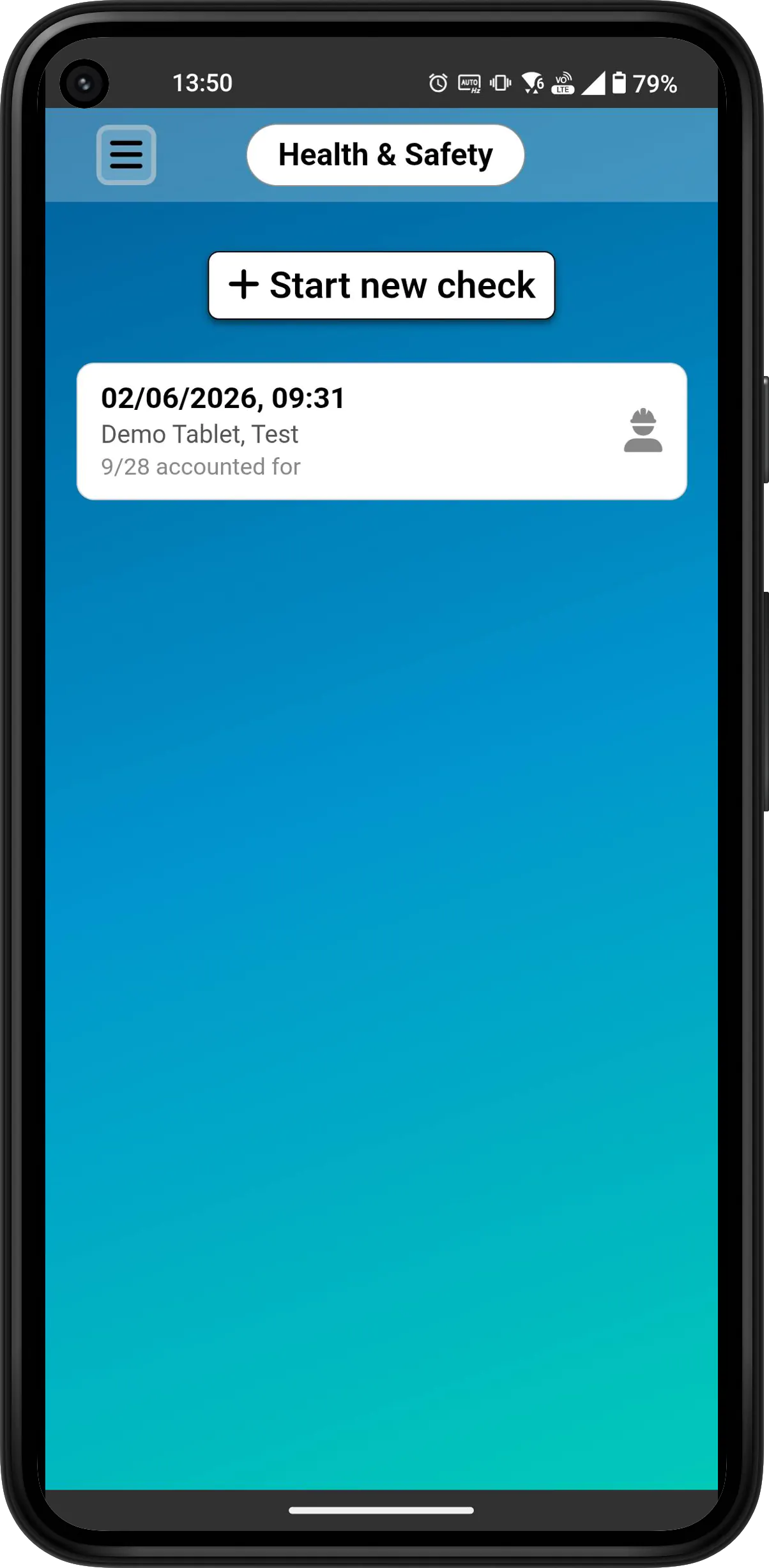
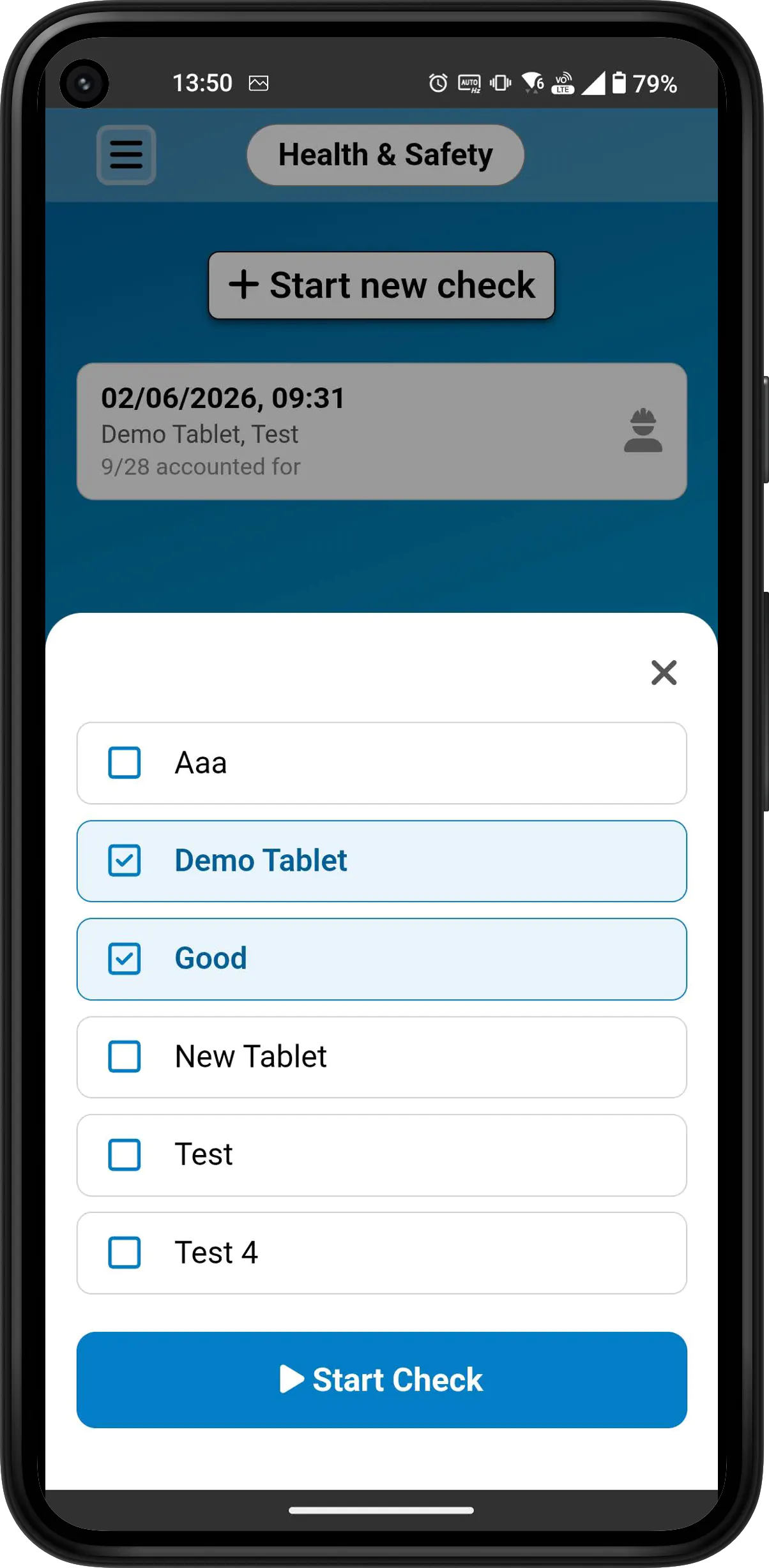

Built with the experts
Developed in partnership with Tailored Health & Safety.

We worked closely with their team to build these features around how evacuations and roll calls really happen on site, so you know they're backed by people who do this every day.
Records you can rely on
Every roll call is automatically saved with a timestamp and locked once complete. No paperwork, no lost clipboards.
Whether it's a scheduled drill or a real evacuation, you get an auditable record showing exactly who was on site and when everyone was accounted for, helping you meet your obligations with the Health and Safety regulations for your area.
Free for 3 months, no credit card required.