
Build your roster in minutes, not hours
Set the staff you need, let auto scheduling fill the shifts around everyone's availability and skills, then publish the roster straight to your team's phones.
- 1
Set who you need
Add the skills each job needs and how many people you need, and when.
- 2
Auto-schedule
One click fills the week around availability, skills, days off and your rules.
- 3
Publish
Staff get it on their phone, accept their shifts and get reminded before each one.
Free for 3 months, no credit card required.
Fill the week in one click
Auto-schedule builds the whole week for you, then checks every change you make against your rules before it becomes a problem.
Auto scheduling
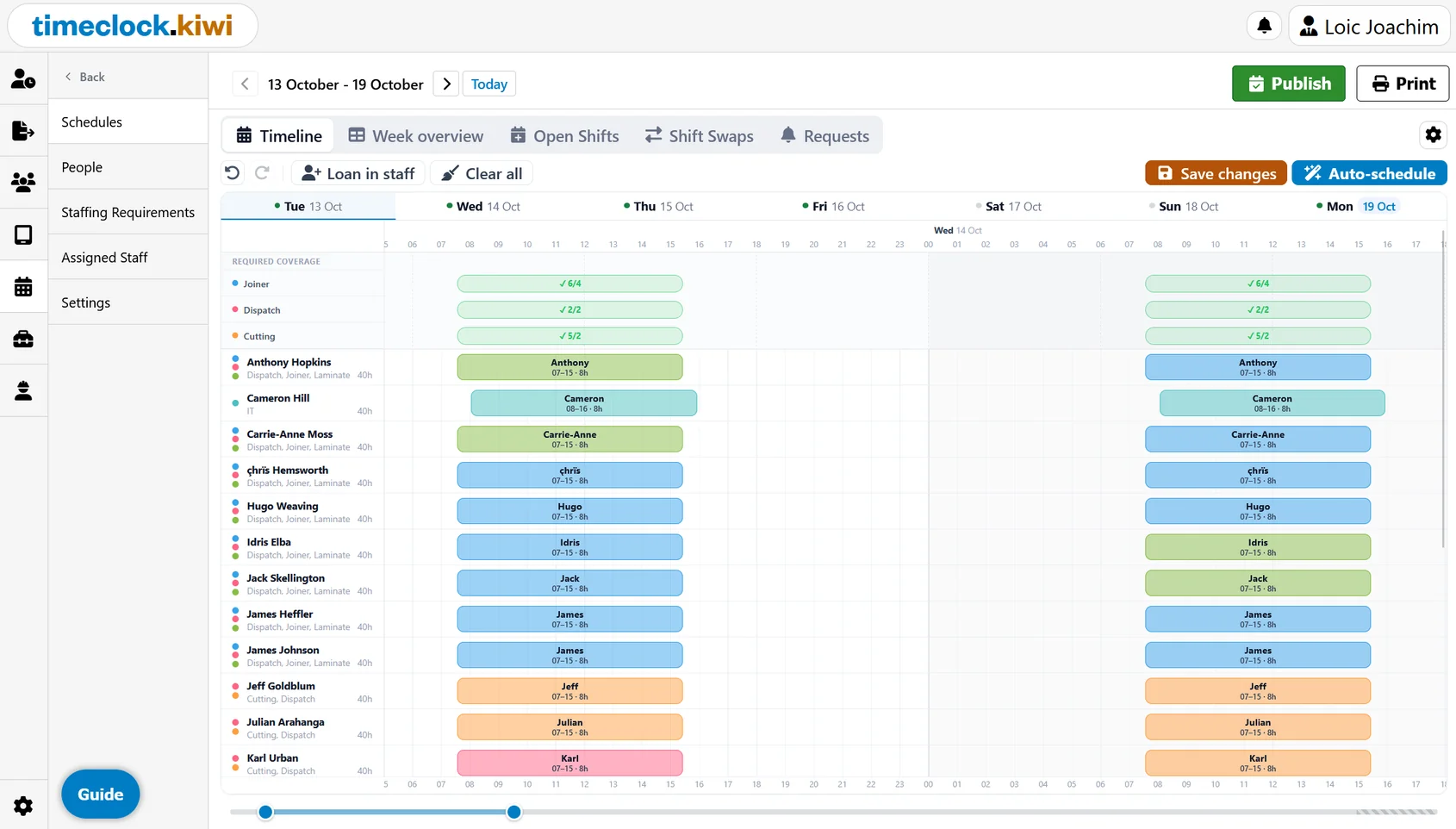
Fill a whole week in one click. Shifts are assigned based on availability, skills, minimum weekly hours and rest time between shifts, and each person's shifts are kept back to back where possible.
Staffing requirements
Set how many people you need, when, and with which skills. The schedule shows at a glance where you are covered and where you are short.
Built in warnings
Get warned before a shift breaks your rules, such as too little rest between shifts or someone being booked outside their availability.
Templates & copy week
Most weeks look the same. Save a week as a template or copy last week's roster and just tweak what changed.
Know who can work, and who can do the job
-
Availability
Record when each person can and cannot work, so you never roster someone who is not available.
-
Skills
Track who is trained for what. Staff can suggest skills they have from the app for a manager to approve.
-
Day off requests
Staff request days off from the mobile app. Approve or decline them and the schedule takes them into account.
-
Multiple locations
Build a roster per location with the staff that belong there, and loan in people from other sites when you are short.
Publish it and keep everyone in the loop
Your team sees their roster in the mobile app and handles the everyday changes themselves, with you approving each one.
Publish to the mobile app
When the roster is ready, publish it. Staff are notified by push notification and email, and can see their shifts in the app.
Shift acceptance & reminders
Staff accept their shifts so you know they have seen them, and get a reminder before each shift starts.
Open shifts
Post shifts that still need someone and let staff pick them up from the app.
Shift swaps
Staff can swap shifts with each other. Managers approve each swap, with the same rule checks run before it goes through.
Print or PDF
Print the roster for the staff room wall, or save it as a PDF for anyone who does not use the app.
Connected to the time clock
Rosters live in the same system your staff already clock in with, so scheduled and worked hours are in one place.
Free for 3 months, no credit card required.