
Send accurate hours straight to payroll in a few clicks
No more retyping timesheets. Pick who and when, choose your format, and export calculated hours straight into your payroll software, ready to pay.
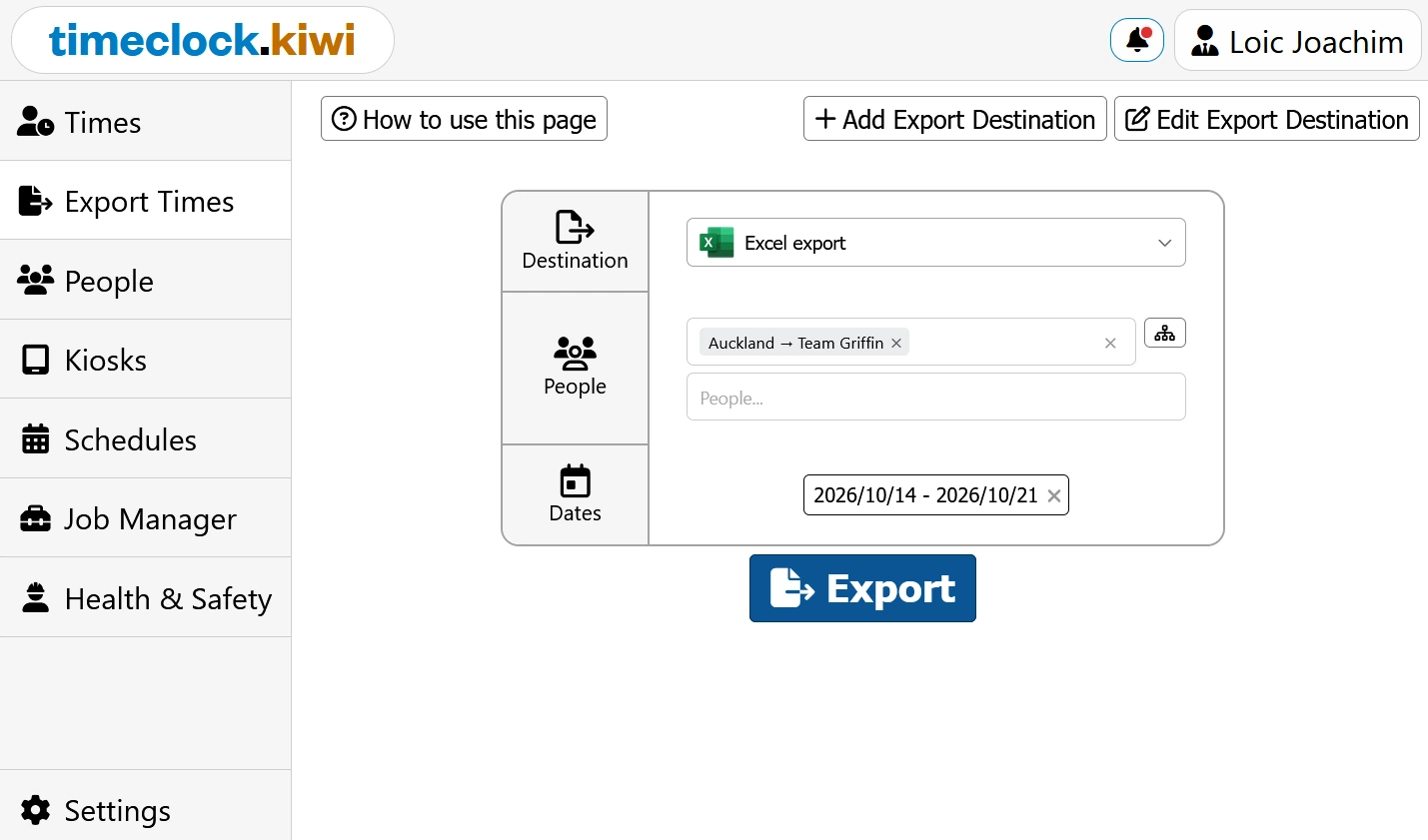
How it works
- 1
Pick who and when
Choose the people or groups and the pay period you want to pay.
- 2
Choose a destination
Send it to your payroll software, or save it as an Excel or CSV file.
- 3
Export
Calculated hours land in payroll ready to pay, with no retyping.
Free for 3 months, no credit card required.
Works with the payroll you already use
Export to 15 payroll systems, or to an Excel or CSV file for anything else.
See every integration
















Hours on the right pay rate, every time
Set your pay rules once, and every export puts each hour where it belongs.
Pay rates & overtime
Set rules that put hours on the right pay rate by time of day, day of the week, public holidays or consecutive days worked.
Match your employees
Link each person to their record in your payroll system once, and every export after that just works.
Preview before you send
Check exactly what is going to payroll before anything is sent.
Saved destinations
Set a destination up once with its settings, then just pick it again every pay run.
Or just download a spreadsheet

No payroll software? Export to Excel or CSV and the file downloads instantly, ready to open in Excel, Google Sheets or anything else.
-
Choose your columns
Pick which columns go in the file, and whether to include headers and totals.
Free for 3 months, no credit card required.