
Serial To Get Request
SOFTWARE Last updated January 16, 2026
We are releasing our program that takes data from a serial barcode scanner and has options to:
- Split the data to multiple serial ports
- Send the data over http as a Get request
This program is written in Python because Python has been around for decades and will still be used in decades making it ideal for factory environments where systems rarely change.

Buy and download
Buy once and use as much as you like. You will get the source code so you can make any changes you need.
Setup steps
- Download and install Python on the system that you want to run this on.
- Install com0com on the system to run this on.
- Install project dependencies by running these commands:
python -m pip install pyserialpython -m pip install requestspython -m pip install configparser
- Copy these files to a folder on the computer such as
C:\SerialToGetRequest- main.py
- settings.ini
- runSerialToGetRequest.bat
- Figure out what COM port your serial barcode scanner is using. Open
Device Managerin Windows and look under Ports (COM & LPT) to see what devices are available to read from.- Note: Only one program can read a COM port at a time (hence why this program has the option to send the serial data to new COM ports)
- Configure the COM port in the
settings.inifile.
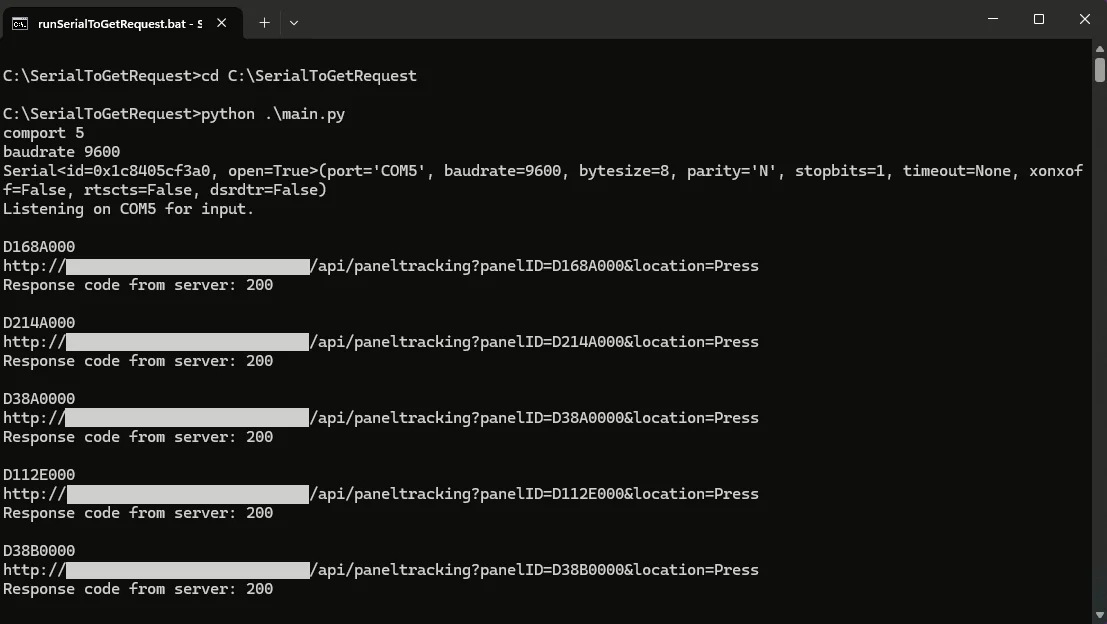
How to run
From the command line run python .\main.py
Or to run from start up in Windows create a shortcut to runSerialToGetRequest.bat and put it in the Startup folder (Press Windows key + R to open the run window and paste in Shell:Startup).
settings.ini
[GENERAL]
BAUDRATE=9600
COMPORT=1
[SPLITTER]
SPLITTERENABLED=True
EXITPORT=3
[SERIALTOGET]
URL=http://mydomain.com/api/itemtracking
SERIALTOGETENABLED=True
LOCATION=TestLocation
[GENERAL]
These settings are for the barcode scanner that we are reading the data from.
[SPLITTER]
If you need the barcode scanner data to be sent to another Serial port set this to True and specify an unused serial port number to use.
[SERIALTOGET]
If you want to send the serial data to an http server set this to True. it will send a request in the format of: URL + "?barcodeID=" + barcode + "&location=" + location So for example: http://mydomain.com/api/itemtracking?barcodeID=H75Gy5&location=TestLocation


Loïc Joachim
Loïc Joachim is a New Zealand-based IT professional, entrepreneur, and political figure, currently serving as the Managing Director for Timeclock.Kiwi and the IT Manager for the O'Brien Group. He is also involved in politics as the Deputy Chair of the Dunedin Labour Party and is a prolific writer who shares his knowledge and opinions on technology, business, and political affairs.